

Build Your Perfect
Room Sound
Stop fighting with generic IRs that don’t fit your mix. Design any acoustic space from scratch — from a dead studio booth to a vast cathedral — and position every sound exactly where you hear it in your head.
Just 19,99€
The Problem With Traditional Reverb
Generic Sound
IR libraries give you hundreds of files that all sound like “some room.” You spend hours hunting for the right one — and it still doesn’t fit your track.
No Spatial Control
Standard reverbs place everything in the same generic space. You can’t decide where inside that space your source actually sits.
Frequency Clashes
Real rooms absorb highs differently than lows. A glass wall vs. a curtain wall sounds completely different. Your reverb doesn’t know the difference.
Headphone Confusion
Stereo reverb on headphones sounds unnatural. Without proper spatial cues, your mix translates poorly to different listening environments.
Spaces MK2: Your Room, Your Rules
Spaces MK2 builds your acoustic space from scratch — not from a library. Set your room dimensions, assign materials to each wall, position sources and listener in 3D space, and hear reflections calculated with ray tracing physics. No hunting for IRs. No guessing.
1
GEOMETRY
Define Width, Length, Height in meters
2
SURFACES
Assign material properties to each wall
3
POSITIONS
Place sources & listener in X/Y/Z space
4
SIMULATION
Ray tracing generates realistic reflections
Why Each Feature Matters to You
Ray Tracing Physics
The benefit: Hear reflections that behave like real rooms — not generic algorithm artifacts. No metallic tails, no predictable decay. Just acoustic simulation that sounds natural.
LF/HF Wall Material Controls
The benefit: Real materials absorb highs but reflect lows — glass vs. curtains, concrete vs. wood. You’re not just picking a “room preset.” You’re controlling the acoustics the way a real room behaves.
Modellable Room Dimensions
The benefit: Stop guessing whether “small hall” or “large room” is the right IR. Set the exact size you need — 3m×4m studio booth or 20m cathedral — and Spaces MK2 calculates what that space actually sounds like.
3D Positioning (X/Y/Z)
The benefit: Place instruments exactly where you hear them in your head — dry and close, or washed in reverb at the back of the room. Move the listener position to change how the room reacts to each source.
Stereo + Binaural Modes
The benefit: Stereo mode for studio monitor mixes. Binaural mode uses HRTF for headphones that actually sound spatial — not just “reverb applied” but a convincing sense of depth and distance.
Save & Load Room Presets
The benefit: Design your room once, reuse it across sessions. Set a default room on startup so you’re always working in the same acoustic space.
Remove Ceiling Option
The benefit: Design open-air environments or less “boxy” spaces. Real outdoor and semi-open venues don’t have a ceiling — now your reverb doesn’t have to.
Global Macro Controls
The benefit: Quick adjustments to Reflections, Diffusion, and Dry/Wet without digging into individual parameters. Tweak the feel of your reverb in seconds.
Room Dimensions

WIDTH
Adjustable in meters
Defines left-right boundaries
LENGTH
Adjustable in meters
Defines front-back depth
HEIGHT
Adjustable in meters
Defines vertical space + ceiling
Wall Materials
Each wall has independent acoustic properties — set them to match real materials:
HIGH FREQUENCY CONTROL
Set high-end reflection and diffusion characteristics per wall. High frequencies are absorbed by soft materials and reflected by hard ones.
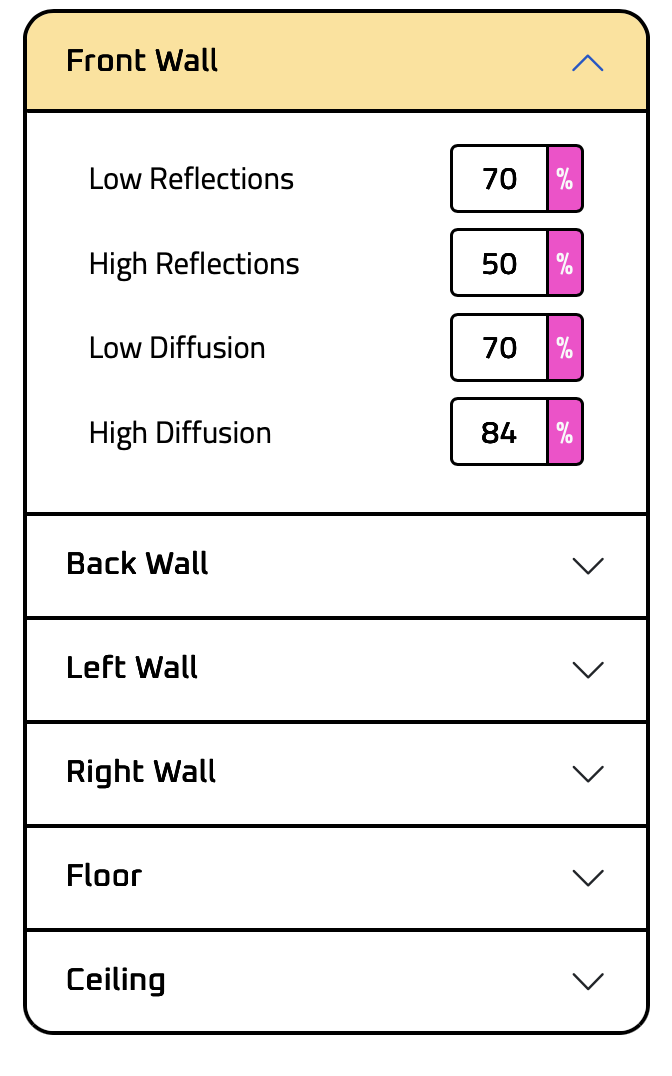
LOW FREQUENCY CONTROL
Set low-end reflection and diffusion characteristics per wall. Low frequencies wrap around small obstacles and reflect off hard surfaces.
Glass reflects highs and passes lows. Curtains absorb highs. Concrete reflects everything.
Spaces MK2 lets you model that behavior.
3D Positioning
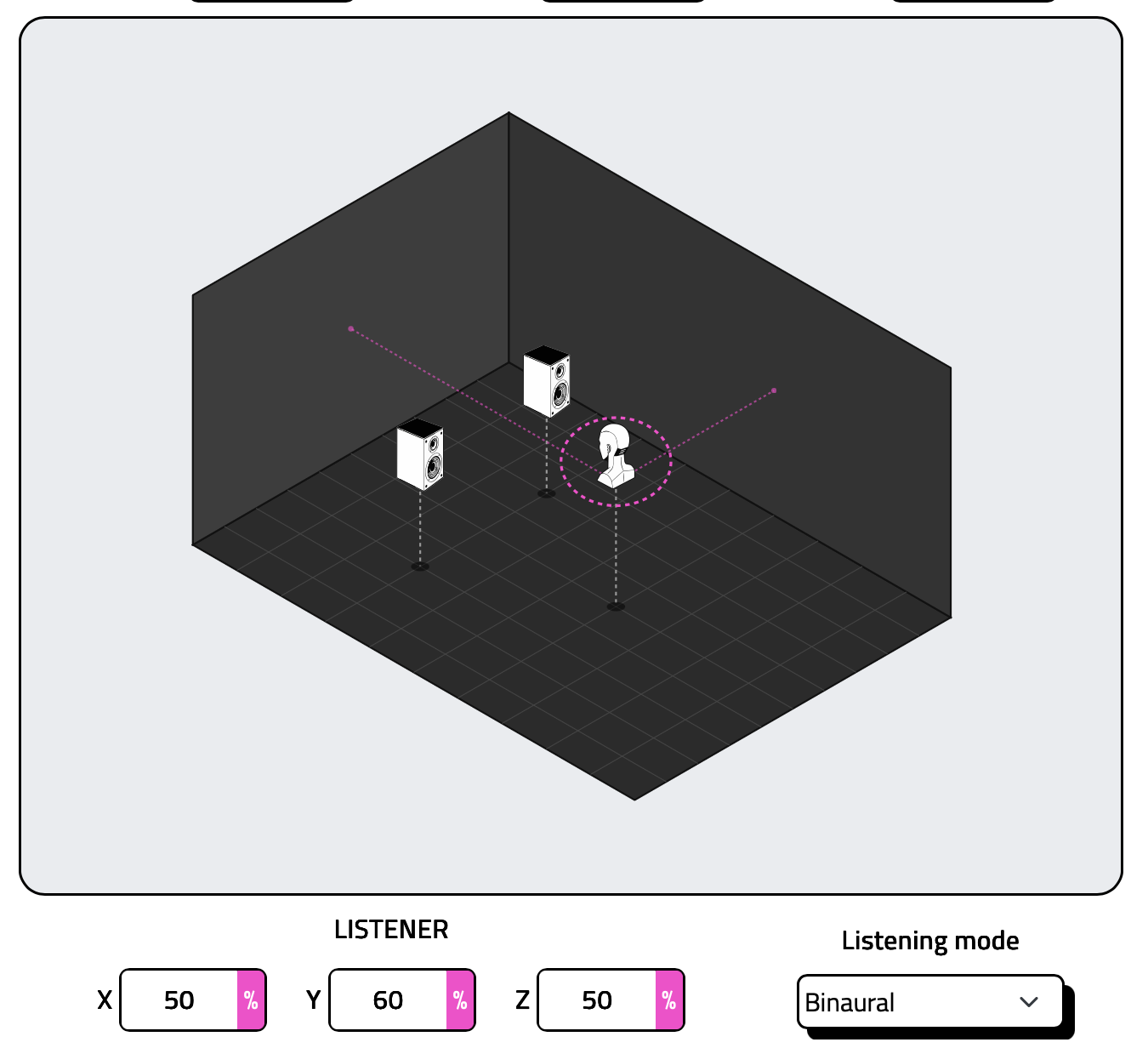
MIC / LISTENER
Move the listener position to change perceived distance and room character. Stand close to the source for intimate sound, or pull back for a grander sense of space.
SPEAKER L / SPEAKER R
Position each source independently in 3D space (X/Y/Z). Place a guitar amp near the corner for a gritty room sound, or a vocal dry and up front — within the same room.
Stereo vs Binaural
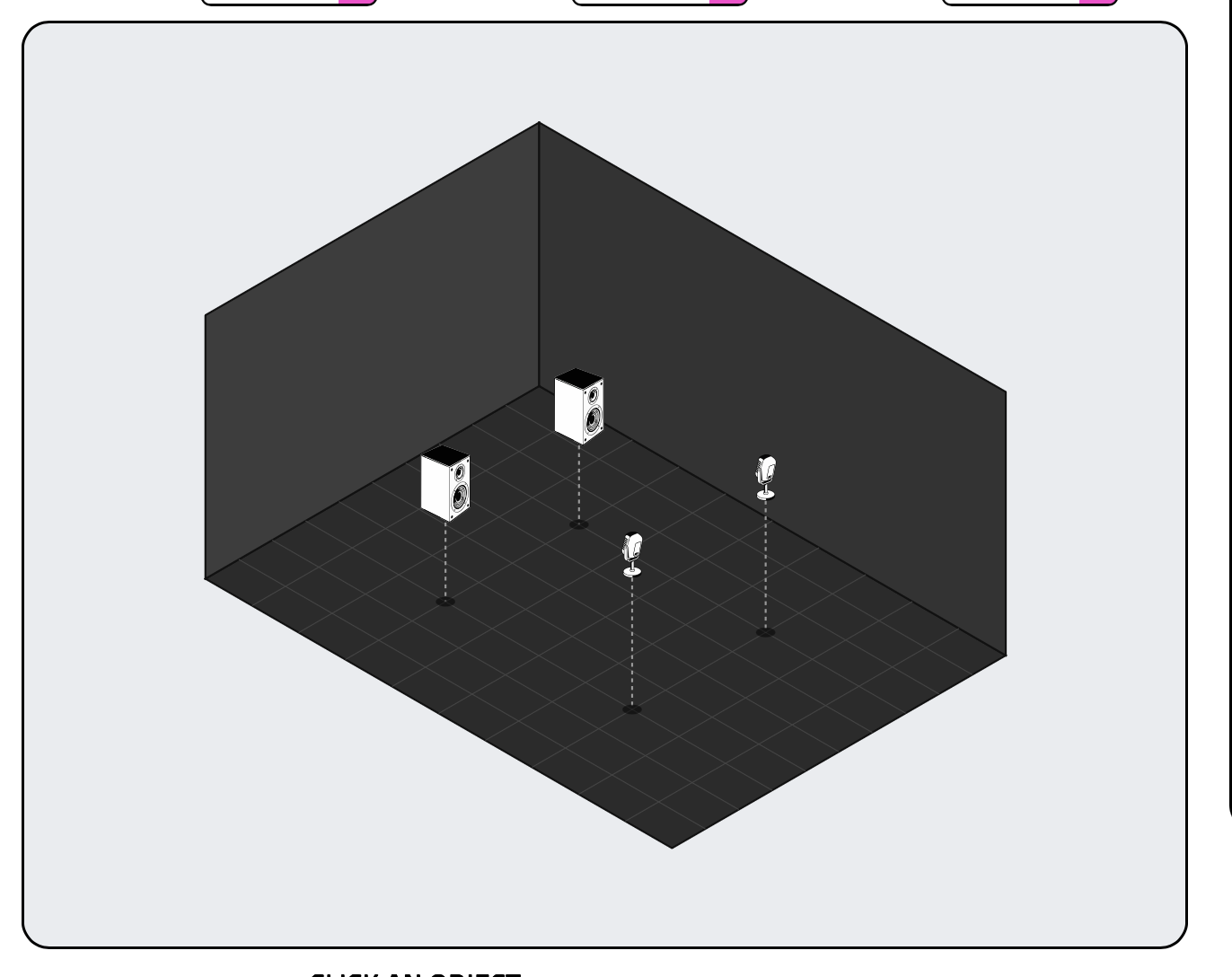
STEREO MODE
Traditional stereo output for studio monitors.
- Standard stereo reverb tails
- Ideal for mix bus and sends
- Works with any stereo output
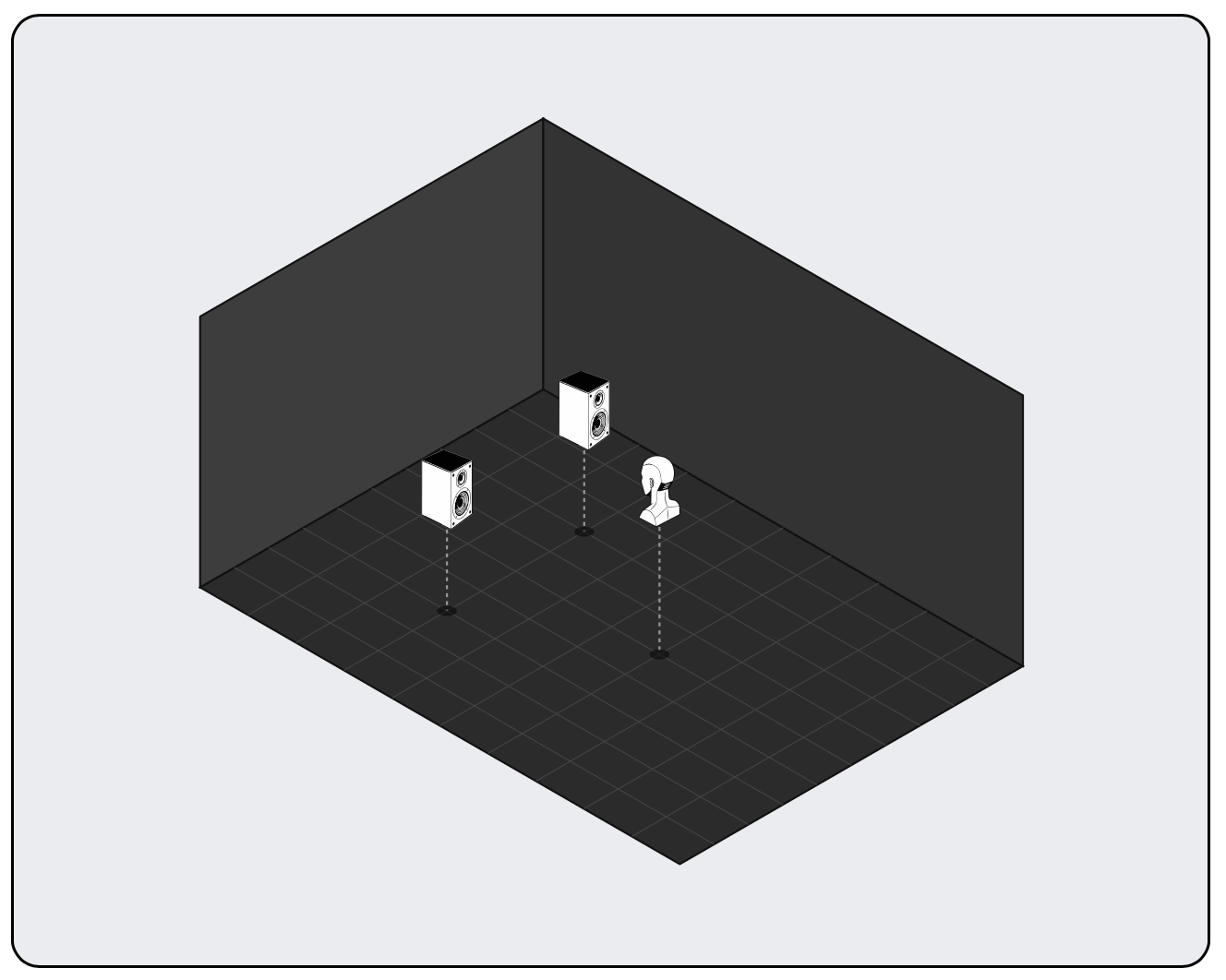
BINAURAL MODE
Uses a virtual head for immersive headphone listening.
- Head-related transfer functions (HRTF)
- Accurate spatial positioning on headphones
- Natural depth and distance cues
- Perfect for headphone monitoring
Use Cases

SEND EFFECT
One reverb, infinite sources. Design a room once, then route any track through it. Drums, guitars, vocals — all living in the same cohesive acoustic space without loading the channel.
INSERT EFFECT
Make that synth sound like it’s in a specific room — not just “reverb applied.” Control the exact spatial character of your source from dry and tight to huge and ambient.
WIDENING
Give mono sources spatial depth without losing focus. Use 3D positioning and binaural mode to take a flat sound and place it convincingly in three-dimensional space.
Is Spaces MK2 Right for You?
✓ YES — If you:
- Want precise control over room sound and acoustics
- Are tired of hunting through IR libraries for the right fit
- Need to match reverb to specific visual spaces (film, game audio)
- Mix on headphones and want believable spatial depth
- Need consistent reverb across multiple tracks in one session
- Already own Spaces v1 and want the latest version
✗ PROBABLY NOT — If you:
- Just want a quick “hall reverb” preset without setup
- Prefer the character of specific hardware or vintage algorithms
- Don’t want to learn any parameters — just dial and go
- Have no need for spatial positioning or binaural processing
Technical Specs
FORMATS
VST3 / AU / AAX
MAC OS
10.13+ (64-bit)
WINDOWS
10 / 11 (64-bit)
AUTHORIZATION
Non required, just download the plugin
PRESETS
Save/Load room configurations
MODES
Stereo + Binaural output
Pricing
New Purchase
€19.99
One-time payment
Upgrade from Spaces v1
€4.99
Owners of Spaces v1
Complete Bundle Owners
40% OFF
Applies automatically at checkout
All purchases include: Instant download · 15-day money-back guarantee · Free support
Ready to Stop Guessing With IRs?
Build any room from scratch. Position every sound exactly where you want it. Hear acoustics that behave like real physics — not generic algorithms.
Hi Saverio,
The Spaces MK2 is the best ER engine I ever tried. Congratulations on this wonderful plugin. When I purchased, it did not work on my Silicon Mac, it had a blank white surface on the screen. At another time it worked, so now it is not reliable but sounds fantastic. I would suggest to optimize it for the Silicon Macs (M4,M5). All the bests
I like the sound, it’s a great idea and good innovation (including ambisonics).
What I miss is the ability to swap presets with some buttons with the mix knob locked. Since you are essentially “hunting” for the right space navigating presets should be a very fast thing; however in the plugin you have to click every time on the selector, and fish out the next preset from a submenu.
These seem to be 2 easy fixes for anotherwise excellent reverb.
I’m not one for much reverb, and usually apply it lightly. Spaces is an excellent tool that gives you a significant degree of control over reverb. But I think I now know why lesser generic tools limit you to a few presets. The price you inherit with Spaces is the need to learn about reverb. If you want to use the tool well. This is a good thing. You might say well yes I know about reflection and absorption and such. But, what change to those parameters do you make to hear the result you want? So it is a very adept tool with which you can expand your production (and reverb) knowhow with. And because it can be controlled through MIDI in your DAW, I think you could use reverb in interesting new ways (like you would dynamic panning for example, to move sounds around). Are there reverb laws akin to pan laws?