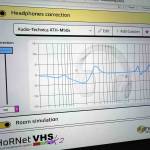
HoRNet VHS MK2 v2.0.5 Now Available
We’re excited to announce the release of HoRNet VHS MK2 v2.0.5, a focused stability and compatibility update that addresses some of the most common issues our users have been reporting. If you’ve been experiencing audio glitches, performance hiccups, or crashes in specific DAWs, this update is for you.
This update includes the following changes:
- Room simulation fixes — we resolved the audio glitches that could occur when toggling the room simulation on or off, and fixed the bass distortion that sometimes appeared with the room simulator enabled, giving you a cleaner and more reliable monitoring experience.
- Performance improvements — we greatly reduced CPU usage on Windows and eliminated the DAW freezes that some users were experiencing, so the plugin can now run smoothly even on demanding sessions.
- Pro Tools on macOS — we fixed a crash that could happen when loading projects, making VHS MK2 fully stable in Pro Tools sessions.
- FL Studio — we fixed a crash and improved the plugin window behavior, so the interface now responds consistently when you open and interact with VHS MK2 in FL Studio.
- VST3 on Windows — we improved VST3 plugin compatibility, addressing a number of edge cases reported by Windows users across different DAWs.
- Blank screen fix — we fixed the blank screen issue that could appear when loading the plugin in some DAWs, ensuring the interface always renders correctly on first load.
- Saved presets — we fixed the bug that prevented speaker names from appearing correctly when loading saved presets, so your saved speaker configurations now display exactly as you left them.
- macOS compatibility — we improved compatibility with older versions of macOS, allowing more users to run VHS MK2 without issues on legacy systems.
This is our most comprehensive stability update yet for VHS MK2, and it paves the way for the next major release we’re already working on. Thank you to everyone who reported issues and helped us reproduce them — your feedback is what made this update possible.
Update through HoRNet DoIn or from your account page.
As always, thank you for choosing HoRNet Plugins.