

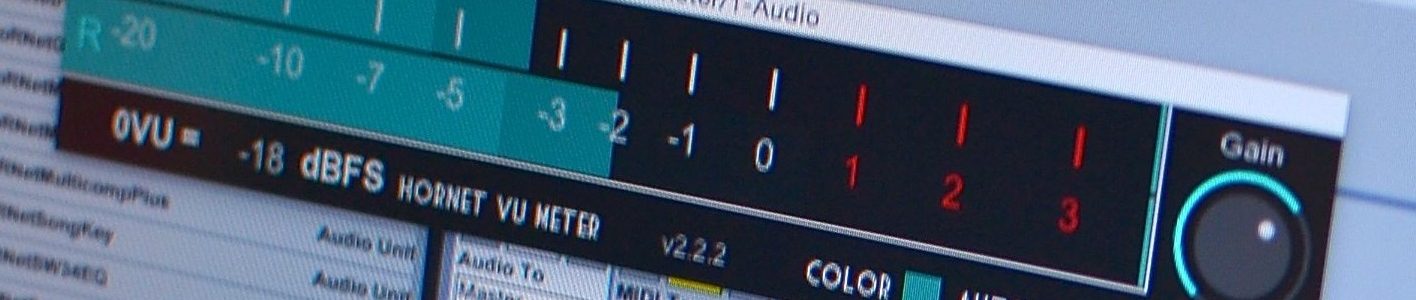
This plugin has been replaced by HoRNet VUMeterMK3
Keep your levels under control
 Knowing exactly the intensity of the signal you are putting inside your DAW is crucial if you want to use your equipment in its sweet spot, this plugin is inspired by this thread on GearSlutz ( a must read ) and it’s useful to avoid recording your signals to hot.
Every A/D converter from the cheapest one to the most expensive has an analog front-end before the actual conversion takes place. Since analog must obey to the law of physics there is just a certain amount of current that you can pass without having distortion in the signal. Usually the manufacturer of converters set the +4 dBu (the “sweet spot” and what is usually shown as “0” on VU meters) to -18dBFS after the conversion, so if the meters of your DAW reads -3dbFS while you record, you are actually driving the input stage of your converters to +15VU, that is A LOT of current flowing through your electronics.
VU meters where the standard metering system before the digital revolution and they still are one of the best way to evaluate the intensity of a signal, their response is intentionally slow to show the perceived loudness of the signal and not the peak.
Multiple colors
 Choose between twelve different colors for your VU Meter, each instance of the VU Meter may have a different color. Use this features for your drums for example so that you can quickly see the level of each track you are recording! Red for kick, blue for snare and so on! Click on the colored square in the VU Meter GUI to open the color picker.
Automatic Gain
 Never let your signal peak too high! With the Auto Gain function the HoRNet VU Meter will adjust it’s gain knob so that the signal level ha it’s peak value to +2VU. This means that if the signal is too low the VU Meter will rise the gain, if it’s too high it will lower it.
The final result is that your tracks will always peak at the right level avoiding clips and distortion in any processor after the VU Meter
How to use it
One of the best way to use the HoRNet VU Meter is to put it on the track you are going to record, click on the dBFS reference number and set it accordingly to the specifications of your converter, then forget about your DAW peak meters, try to make your signal peak at 0VU at most, or if you want to be hot aim to +1VU or +2VU, don’t worry about clipping the signal, the HoRNet VU Meter will blink RED if the signal is clipping.
If you are not recording you can still use the VU Meter to drive other processors, using the Auto Gain function you will be sure that no overload will ever happen and even analog emulating plugins will be happy with the level of the signal
Features
- VU Meter spec. conformity (300ms attack and release time)
- VU Peak hold
- RED Blink clipping indicator
- reference level settable from -60 to 0 dBFS
- input gain from -30dB to +15dB
- bar color freely selectable between 12 colors
- Automatic Gain adjustment with 3 different settings
- Stereo display
- Mac OS X (>=10.5 intel only) and Windows support
- 64bit compatibility both on Mac and Windows
- Audio Units, VST, VST3, RTAS and AAX format
Video Overview
[video_lightbox_youtube video_id=”y0ED_6SA0n4″ width=”640″ height=”480″ auto_thumb=”1″]
Copy protection
The HoRNet VU Meter has no copy protection, I don’t believe in copy protection, they are always cracked and they are annoying for the users, we all know you are not going to give away the plugin on the internet…
So simply download the plugin and enjoy your recordings!